
Gibbs Reflective Cycle
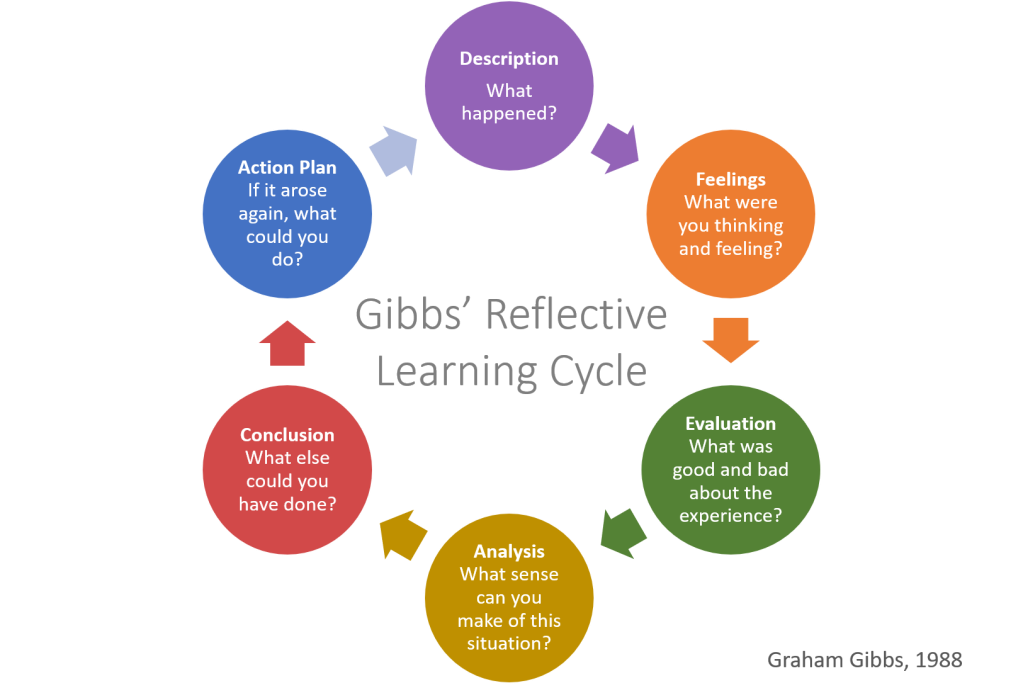
Description
This week we went to Marysville Elementary school for an insitu with a grade three class. The UVic students paired up and each worked with a group of students to create a stop motion video! After each group completed their video, we did a showcase and watched them all as a class.
Feelings
I was really nervous going into this insitu because I didn’t feel super confident with stop motion. I was really grateful to be able to work with another UVic student to help the kids. Once we were in the classroom I was a lot more comfortable and the kids were so excited and it went really smooth. I would absolutely do this again and I will remember this experience when I am a teacher and try to incorporate something similar into my classroom.
Evaluation
Overall, I think the insitu went really well. The students were very engaged the whole time. I feel like as a UVic student I learned about how well students can do when they are interested in what they’re learning. We were working on stop motion for about an hour and I feel like the students – with UVic support – could have gone on even longer.
Analysis
I think because the project was something the kids were so excited about, it made it a really easy thing to complete successfully. The kids wanted to be doing stop motion so they were all behaving fairly well. Also because we were working in small groups with lots of adults they were all getting lots of attention and were easy to redirect even if they were off track. Because of this and the success of the project I think they could have done this even longer or for two classes.
Conclusion
It was really cool to see the kids being so engaged. I think because it was so successful I don’t know what else we could have done. Maybe give the kids more structure (not more rules) encourage them to build on their stories. Maybe as an extension of this activity, have the students plan for a little bit longer and then create something that ties into what they are learning in class. Or give each group a challenge to start with – to kind of expand on how they all used their desk pets to start, and all got such different videos.
Action Plan
Next time, I would give the initial instruction and try as hard as I can to let the students run the project. There were a couple of times the students seemed unsure of what to do or where to go next so we prompted them a little bit, but I would like to step back and try to just let the students solve it for themselves. Encourage them as much as possible to do it on their own and just tell them to continue on and ask “what’s next?”
The students loved this assignment, they worked really well together and were engaged and working the whole time we were there with them. They kept having more and more ideas and started getting more and more comfortable opening up to the UVic students and sharing what they wanted to do which was awesome to see. I wish we had had more time because of how excited they got and how their ideas started coming out more at the end. They didn’t have time to do a final edit of their video but it still turned out really cool and they had a great time making it!
We used Zing Studio to create the stop motion and it was very user friendly and easy to figure out with a lot of features that I think made it great for elementary use. The different sound effects totally engaged the kids and got them thinking about what sounds would be appropriate for the video and how to use sound to show things other than speaking. And there wasn’t so many features that it was overwhelming, just enough to have a variety and be able to edit at a good level for elementary students and beginners. I also really liked that it was a tech assignment but the students weren’t on the internet. I found it to be a nice balance for kids a way to teach them tech skills but not have them “scrolling.”